
Next
Previous

Wednesday, May 15, 2013

1

Camera Angles and the Psychology Behind Poses


Hello Lovely Photography Fiends!

We might not all be blessed with incredible state of the art camera equipment, and although that can definitely create some amazing results, it is not necessarily the 'say all be all' to conveying a clear message with your photography.  A great deal of psychology goes into the fundamentals of a more physical responsibility: camera angles and poses.

Let's take a look at a few examples.


Giving Your Subject Power

Consider nature and history...

In nature, animals display a great deal of communication through body language alone.  For instance, a canine will roll over on its back, exposing its stomach, in an effort to show it is submissive and not a threat.  By lowering their body position and remaining vulnerable, power is immediately granted to the other creature.  Alternatively, animals displaying dominance often pin or place their body over another animal's body.  By taking this position of height, their power and dominance is enforced.  Humans have displayed similar behavior over the centuries as well.  After all, Kings and Queens sit on raised thrones, do they not?  Servants and loyal civilians bow, curtsey, or kneel to show their respect and relinquishment of power, no?

Main Point:  By positioning your client above you, angling your camera and shooting upward towards them, you immediately create a sense of power and dominance in your client.

Creating A Sense of Vulnerability


By applying the reverse, immediately your subject is far more vulnerable than a simple facial expression could convey.  Use this psychology to relay your story.  Creating your world inside a photo is far more than a talented model, it is the angle of the camera and the psychology behind it..the lighting..the staging..etc.

Know what you wish to convey before the shot and use your angles to achieve this!

Main Point: By positioning your client below you, angling your camera and shooting down upon them, you immediately create a sense of vulnerability not easily achieved with facial expressions alone.


Make Your Audience Feel As If They Are
In On The Secret or Participating
With The Client


Consider clubs...secret societies..political parties..etc.  What do they have in common?  They are filled with like-minded people, which in their world equates to equals.  By positioning your camera on an equal level as your subject,  you are immediately including your audience in the ongoings of the shot.  Use this angle to create a sense of thrill in participating with the subject.  Do not underestimate the influence this even leveled camera angle can have on your ultimate story of the shot!

Main Point: By positioning your client on the same level as your camera angle, an immediate sense of inclusion is created with the audience and the subject.

Allow Your Audience To Live Vicariously Through The Photo


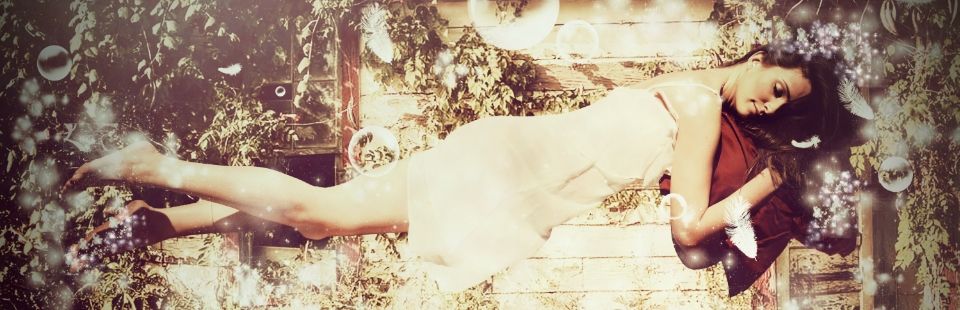
Is your subject matter emotionally charged?  Allow your audience to feel that whirlwind.  By changing the horizontal plane, you immediately throw your audience off their feet, much like the feeling of a mind-blowing kiss.  Use this to accentuate a charged moment, or perhaps to add life to an image in need of a little pick-me-up.

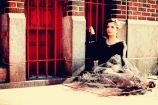
This image is sweet when straight on, but the moment the horizontal plane shifts, I feel like my world is spinning and I am right there in the moment with them!

Main Point:  Enhance an emotional moment by altering your horizontal plane, forcing your audience to feel immediately caught off guard and as if their world is out of control as well.  This will help them further identify with the moment in the photo.

****

Do you wish to know more about the mind behind the madness!? Check us out at Gritstone Studios or 'like' us on Facebook!


Monday, May 13, 2013

1

Keep It Classy!


We live in an age influenced by the media, drawing attention to shocking headlines and stories that evoke strong emotional response due to their graphic nature.  I admit that I am easily dragged into the undertow of the frenzy, clawing to resurface as I notice myself pulled further and further into the depths of negativity.

I think this is partially why I love photography.  We create worlds of beauty, fantasy, and emotion...worlds that offer escapism from the chaos around us.  With so many influences tugging at us from 'real life', I stick to one rule of thumb for the exposure of women: keep it classy.  I love boudoir, a woman's features, and unconventional photographs...but I love them most of all when done with class and elegance.  Shouldn't we try to promote the admiration of a woman for the sensuality she conveys in a natural state rather than one 'fabricated' and 'explicit' with a crude demonstration of female anatomy simply for sordid pleasures?

No, I am not an over the top feminist... I simply prefer to protect the integrity of elegance and class within my photography..it makes it all the more beautiful in my eyes.


Want to know who the heck is behind the blog? Visit me at Gritstone Studios to see what I am all about!

Wednesday, May 8, 2013

1

Freebie Of The Week! Postcard Photoshop Template

And the freebie of the week is...............


Green With Envy Template


This template is entirely free as a download.  All I ask perhaps to show your support or appreciation by 'Following' this blog.  Oh, we haven't met yet?  I am Ella, for all intents and purposes, and I am hoping you will join me on this new blog venture!

The template arrives in Photoshop format.  Simply place your fabulous photo on the layer indicated 'Place Picture On This Layer'.  Add custom elements such as text, and you are all set! I hope you love it as much as I do!  Please feel free to leave me a little comment with a link to your own uses of this template..or simply say hello!  It can get lonely in blogland without any feedback :(

Do download your free template, click here.

Yours Truly,
Ella

Monday, May 6, 2013

1

5 Steps To Killer Portraits


We all have our routines, if not superstitious 'musts'.  I admit I am of the latter two types of people.  When I stumble across something that works for me, I use it incessantly until I either improve on it or find something better.

My photography has been a work in progress and will continue to be.  Be wary of those whom claim to need no improvement, for we all have something we can learn! Every day there are new techniques, new programs, new information, etc.  Embrace it..get hungry for it..it sure as hell has helped me!

Here are my 5 'musts' for portrait editing in Photoshop.  Open a photo in Photoshop and see what happens when you try it!

1)LEVELS: I start with my levels graph in Photoshop.  The goal? Slide the arrow on the left in towards the center, tightening and removing the blank area.  Repeat for the arrow on the right.  Only do this when there is blank space on the far left or far right.  The far right will lighten/brighten your image, the far left will bring out the darker elements.


2) CURVES:  One of my favorites!  The goal (at least in my experience...and by no means am I an expert..I have just learned what works for MY photos) is to create a nice 'S' shape with your line.  Click on the right side of the line, pull the line upwards.  You will see your image change.  Click on the left side of the line, pull the line downwards.  What once was a straight line now will appear like a horizontal S.  How does your image look?  Play around, tweaking the lines up and down to see how it affects your image.

Again, I am not an expert! I am just sharing my process so it will hopefully help you learn your own!


3) DODGE/BURN: If you aren't familiar with these tools, you are missing out!!! I feel so terrible for your deprived life, please please throw yourself a pity party and start using this!!  Very simply put, I use the lasso tool to circle the eye area on both eyes (holding 'Shift' will allow you to trace both eyes without losing the first).  Select 'Edit-->Copy'.  Select 'New Layer via Copy'.  Now your eyes are a new layer ontop of your original eyes.  I go in with the dodge tool and dodge all areas in the eyes that I wish to whiten and brighten (whites of the eyes).  Remember to get the eyelight in the irises of the eyes!  I then use the burn tool to trace the outside rim of the iris, as well as darken the pupil.  Select the layer, and change your opacity to 60%.  If your eyes are too white, it will look creepy and fake.  No bueno!!!

4) Surface Blur:  Create gorgeous skin for your clients! Keep it realistic while you are at it...and use the surface blur tool.  Use your magic wand to select the face of your client.  Make sure you do not select the eyes or lips..we want texture there as much as possible.  Once you have the skin selected, go to 'Filter-->Blue-->Surface Blur'.  You will instantly see a preview of the skin.  Slide the radius and threshold tools until you find a perfect balance that looks natural, and yet beautiful!

5) Brush Tool:  I am totally addicted to brushes in Photoshop.  There are literally thousands of free brushes available on the internet.  If you do not know about brushes, do a little search and read up on them.  It is simply a file that you import into your brush set.  That file could be cool brush tips like flowers, hair, eyelashes, etc.  I ALWAYS use an eyelashes brush set to bring out the eyes on my female clients.  Be sure to create a new layer for eyelash you brush into place.  Use the Free Transform tool to rotate and skew the eyelashes into place.  Do this one new layers for each eye, then lower the opacity to 80% so they look natural.

Well, there you have it!! I hope these tips are helpful.  Leave me a comment and link to your own use of these tools. I love interaction with all of you out there.  Follow my blog for more upcoming posts on this new blog venture of mine!

Want to learn more about the gal behind the blog? Find out about Gritstone Studios now!

1

New York City: Urban Photo Shoot Location Heaven

"I love the feel of NYC, but I can't get any good shots with all those PEOPLE EVERYWHERE!"

Good thing you are reading this post, then. ;)

Key words for you: LOCATION LOCATION LOCATION.  I promise there are tricks!

Many of my clients are located in NYC.  Unless you are attempting to capture the chaos of the crowds, you CAN achieve the same urban Manhattan feel without passersby.  You don't believe me? Take a look at this photo:


How is that street view for you? Great rusted bridge feel, some elements of graffiti and litter, and low and behold completely vacant.  How was this done? No, I didn't make them pose for hours on end until I had the opportune moment.  Quite simply, I determined an appropriate LOCATION.

There are MANY side streets, outlying areas, etc that make this possible.  If you don't live in NYC you might find it difficult to believe, but Queens is often used to film movies and TV series to achieve the same look and feel that a stereotypical urban Manhattan has.

I make it a point to scout all of my locations before the shoot.  There is nothing worse than wandering around aimlessly and wasting time looking for amazing spots.  Guess what? You want to be a photographer? Make it your JOB to find these spots ahead of time.

If crowds are a problem, position your clients closer to the background you are hungry to use.  For instance, in the photo below, we were in a congested area of Queens.  Throw your clients against a killer wall and passersby don't even have an opportunity to cross into the picture behind them.


Do you see a really cool element in the background? Close in on your client, eliminate the traffic that could pass between you, and shoot away.

You just might surprise yourself...a little planning and positioning can go a LONG way!


Want to know the wizard behind the lens? Visit me at Gritstone Studios to see what I am all about!

Sunday, May 5, 2013

0

Bank On Spontaneity!


We all have those moments: your friends know you are a photographer and by default you are the token camera girl for all occasions great and small.  You love photography, so you don't mind...until that awkward moment when you realize:

  • A) My camera is not small enough to conspicuously carry with me and look good doing so, marking me as either pretentious or just having no social life of my own while I snap away photos of everyone else having fun
  • B) My camera is damn expensive..plus Murphy's Law states it won't stay usable if I DO chance it
  • C) I won't be in any of the photos! Good side: I won't be made fun of for my clothing like I currently do to my own parents.  Bad side: No one will ever witness that I DO know how to have a good time!
  • D) All of the above...and MORE.


Naturally all of these thoughts were racing through my mind as I walked up to the door of a Kentucky Derby party this weekend.  However, there was one thought trumped all others: I am obsessed with photography and could surprise myself with some kickass shots for my portfolio!  I tucked my camera away in my bag, wondering how in the HELL I was going to pull this off.  Sneaking in through the crowd, I snagged my girlfriend and her amazing new man.  He had thrown a few back, leaving him totally relaxed and up for spontaneity.  Light bulbs went off in my head: alcohol makes anyone up for anything!!! I grabbed the adorable couple and asked them to come outside with me.  Once they entered my evil lair (mwuahahahahhaha), I casually said..."I am working on my portfolio,...can I take some shots of you? Two seconds..I swear!"

Cue 'annoying friend' stereotype! Yeah, that is me, waving wildly that -I- am the annoying friend.  Truth of the matter is, I knew my girlfriend wanted nothing more than some awesome shots of her and her man to start off their new relationship.  Admittedly, I took one for the team.  And you know what!? IT PAID OFF.  Not only did I get some great shots, but the boyfriend was having a BLAST at this impromptu shoot. How was that possible?  Play director with them, let them have fun, and get him going with the idea of the shoot as a role play type situation rather than an awkward posing session.  By the end of the shoot (one hour later, mind you), he was ripping and roaring with brilliant ideas of scenarios and poses for the camera.  We had a lot of laughs, got great shots for the two of them to enjoy, and I got to add to my portfolio.


Wanna know more about me? See what Gritstone Studios is all about!

Saturday, May 4, 2013

0

Welcome Fellow Photography Fiends!!!!

Photography Fiends Unite!

Fiend: noun\ˈfēnd\

 2: a person extremely devoted to a pursuit or study : fanatic (a photography fiend)


WELCOME!

Yes, I did break it down for you...why? Not because you lack education, but simply due to the necessary purpose of REMINDING all of you lovely faces that we are all peas in a pod, and as a result, addicts together.  No, I don't mean addict in an insensitive way (let's not get all politically correct/hoytie-toytie ok?)...let's face it, we all have our obsessions and vices!  Mine (and hopefully yours) just happens to be killer photography and everything that makes it possible.

So sit down, pull up a chair, grab some yummy snacks (healthy or in my case, not), and let's have some stinkin' FUN.  <----Fine print: I cannot be held responsible for your sense of humor, lack thereof (hopefully not the case), or interpretation of fun.  ;)

Oh, and you know what would be really cool? If you became a follower of this blog.  Aside from it stroking my ego (yes, I admit that there is pleasure in knowing SOMEONE out there is participating with me), becoming a follower of this blog makes it super easy to stalk our posts daily...and I mean, duh...who wouldn't want to do THAT!?  (Reality check: You can totally follow us and never come back again, but my fingers are crossed in hopes that it won't be the case.)

Much Love,
Ella

Wanna know more about me? See what Gritstone Studios is all about!